

Point-of-sale system
Own your POS. Pay zero transaction fees.
A point-of-sale system for cafés and restaurants: a dual-screen counter terminal, table-QR ordering, kitchen printing, a cash drawer and shift control — with no transaction fees and no device rental.
In short
What is HeyPOS?
HeyPOS is HeySheep's point-of-sale (POS) system for cafés, restaurants and kiosks in Singapore. Guests order from a table QR or at the counter, staff run each shift on a dual-screen Android terminal, and tickets print at the right kitchen station. You own the hardware: no transaction fees and no device rental — a one-time hardware fee and a software maintenance fee.
- 0% transaction fees
- Hardware you own
- No device rental
- Live at a Singapore shop
Real footage, not renders
Watch a real order, start to finish.
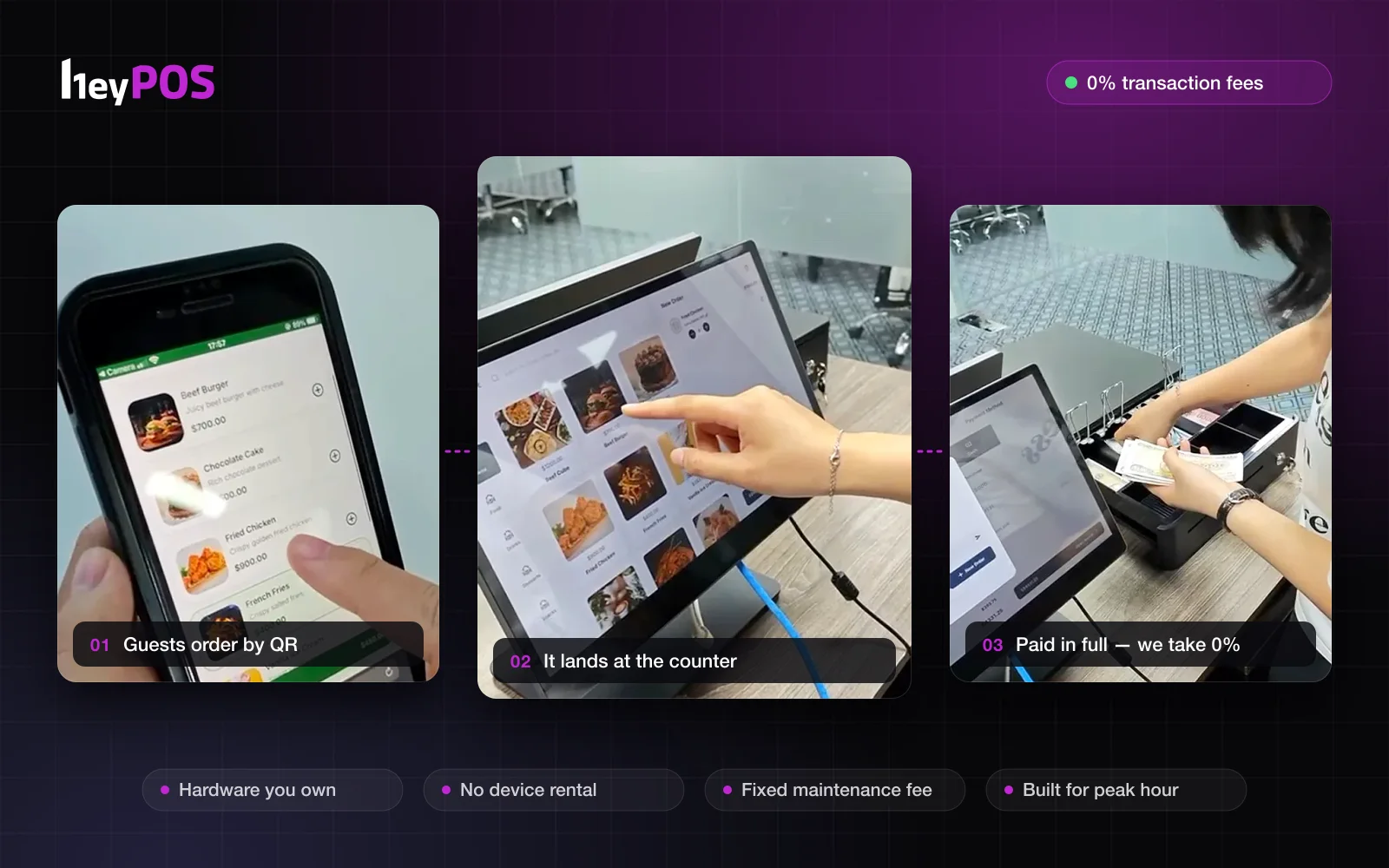
One shift on a HeyPOS terminal: guests order from their table, the counter takes it from there, and every dollar goes to the shop — none to us.
- 01Open the shift
- 02Guests scan the table QR
- 03Pick add-ons, place the order
- 04Follow the order live
- 05It lands at the counter
- 06Pay by cash — the drawer opens
- 07Receipt printed
- 08Staff add counter orders
80 seconds · trimmed from our demo footage and partly sped up · no sound
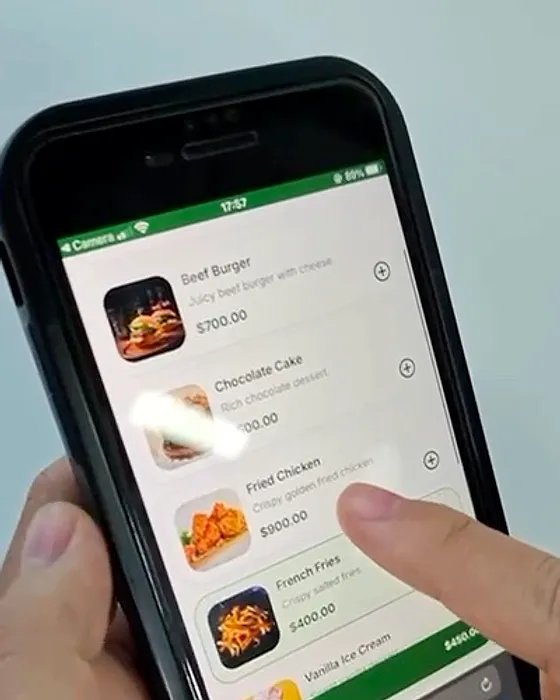
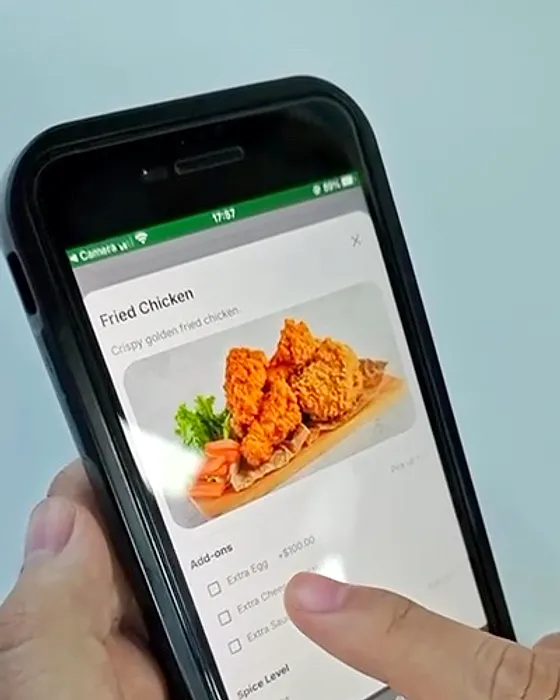
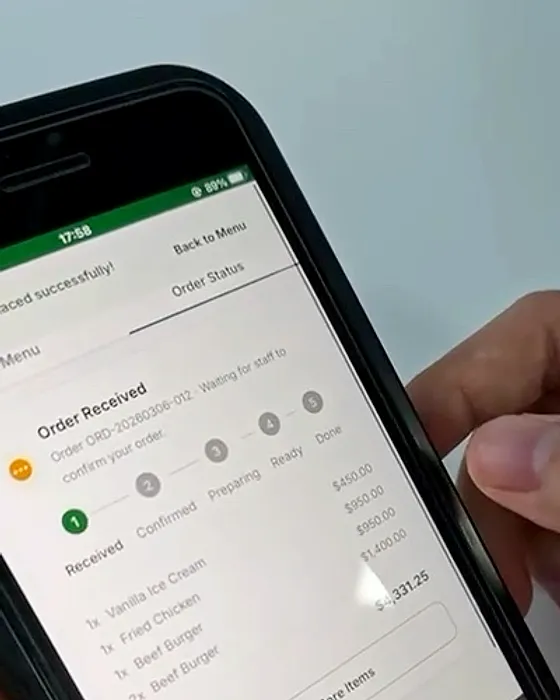
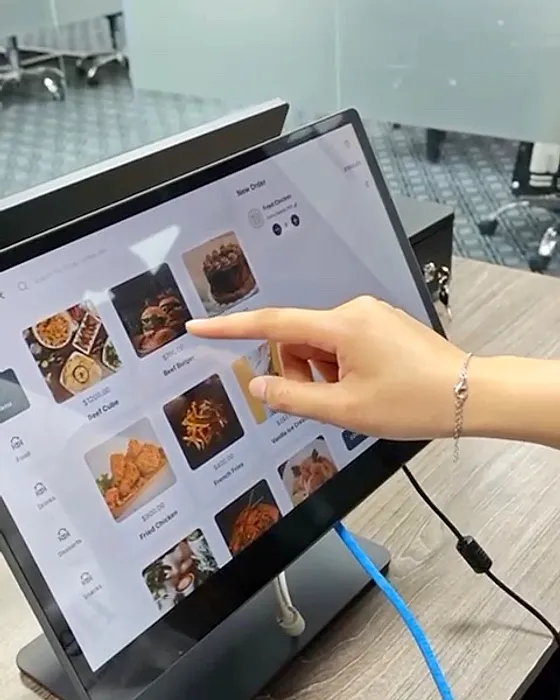
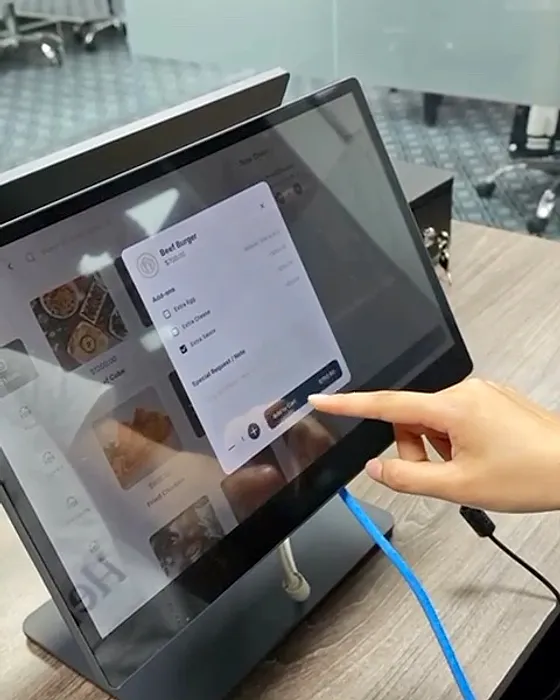
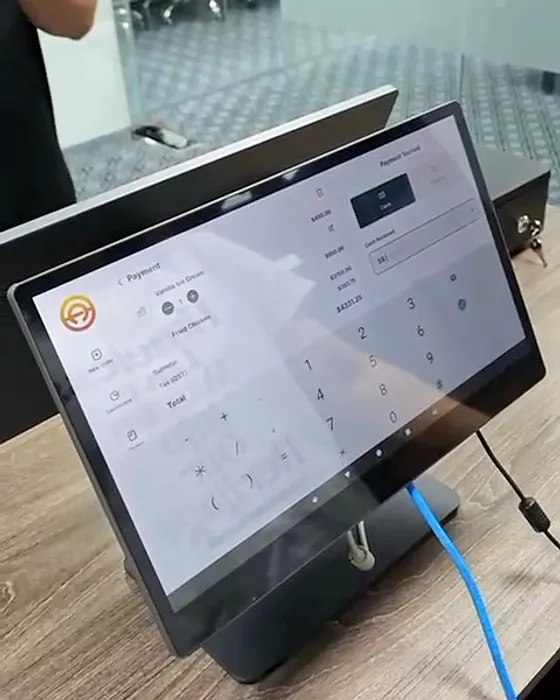
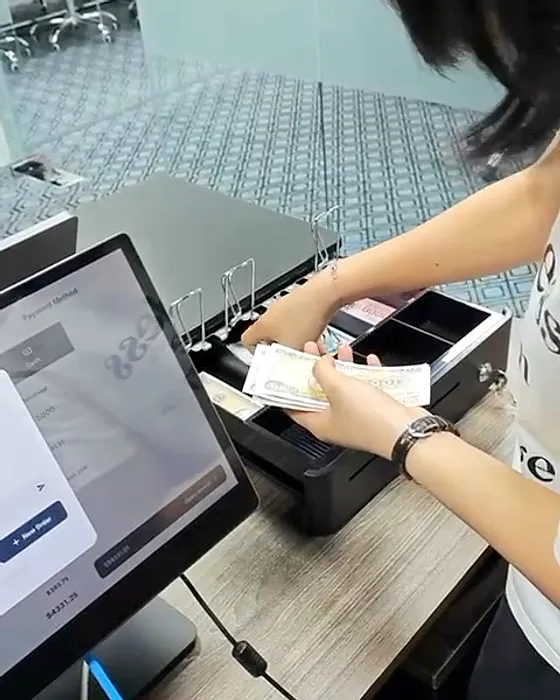
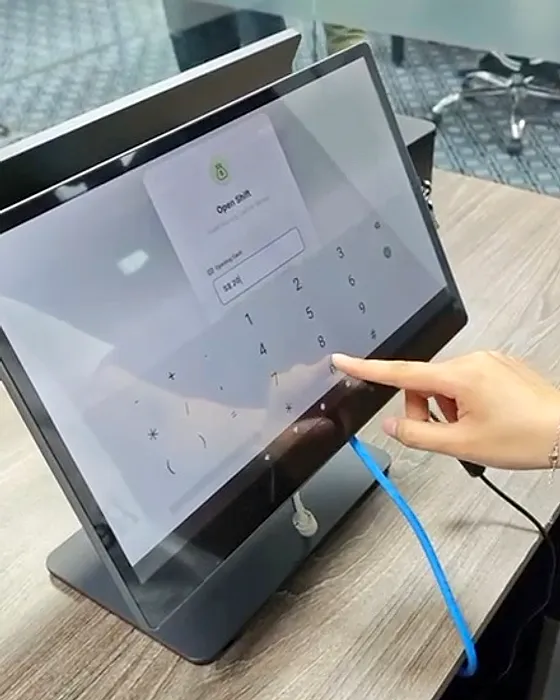
Stills from the same footage, cropped and colour-corrected. The counter terminal is the dual-screen model we supply.
The problem
Your POS shouldn't take a cut of every sale.
Many POS plans keep a percentage of every card or QR payment, rent you the terminal by the month, or lock you into their payment processor — so the busier you get, the more you pay. And when the lunch queue hits, a slow till costs more than any fee.
Who it's for
Cafés, coffee shops, restaurants and kiosks in Singapore — busy food and beverage counters that want to stop paying a percentage of every sale.
What it does today
Built, shipped, working.
Order from the table
Every table gets its own QR, printed straight from the terminal. Guests browse a photo menu, choose variants, add-ons and notes, add to their table's order and follow it live — in the phone's browser, with no app to install.
A dual-screen counter
Staff ring up dine-in and takeaway orders on big photo tiles, while the customer-facing screen shows every line, add-on and total — and the change due.
Complex orders, handled
Variants, required and optional add-ons, and notes on every item. Table-QR and counter orders meet in one list, and staff confirm QR orders before they reach the kitchen.
Kitchen tickets and receipts
Receipts and kitchen tickets print on network thermal printers, 58 or 80 mm, with each ticket routed to its station and no duplicates.
Cash, under control
The cash drawer opens on every cash sale. Pay-ins and pay-outs are logged with a reason, and the terminal always knows how much cash should be in the drawer.
Shifts that balance
Staff sign in with a PIN and open the shift with a float — no sales before that. At close they count the drawer and HeyPOS shows any cash over or short. Every order belongs to a shift.
Tables and reservations
A live table map and reservations, so the floor, the counter and the back office see the same picture.
A back office for every outlet
Menu with categories, variants, add-ons and photos; outlets, staff roles and devices; and a sales dashboard — in a web back office you can open from anywhere.
The software, for real
What your team and your guests actually see.
Real HeyPOS screens — the back office and table-QR ordering — running on demo data for a sample café.
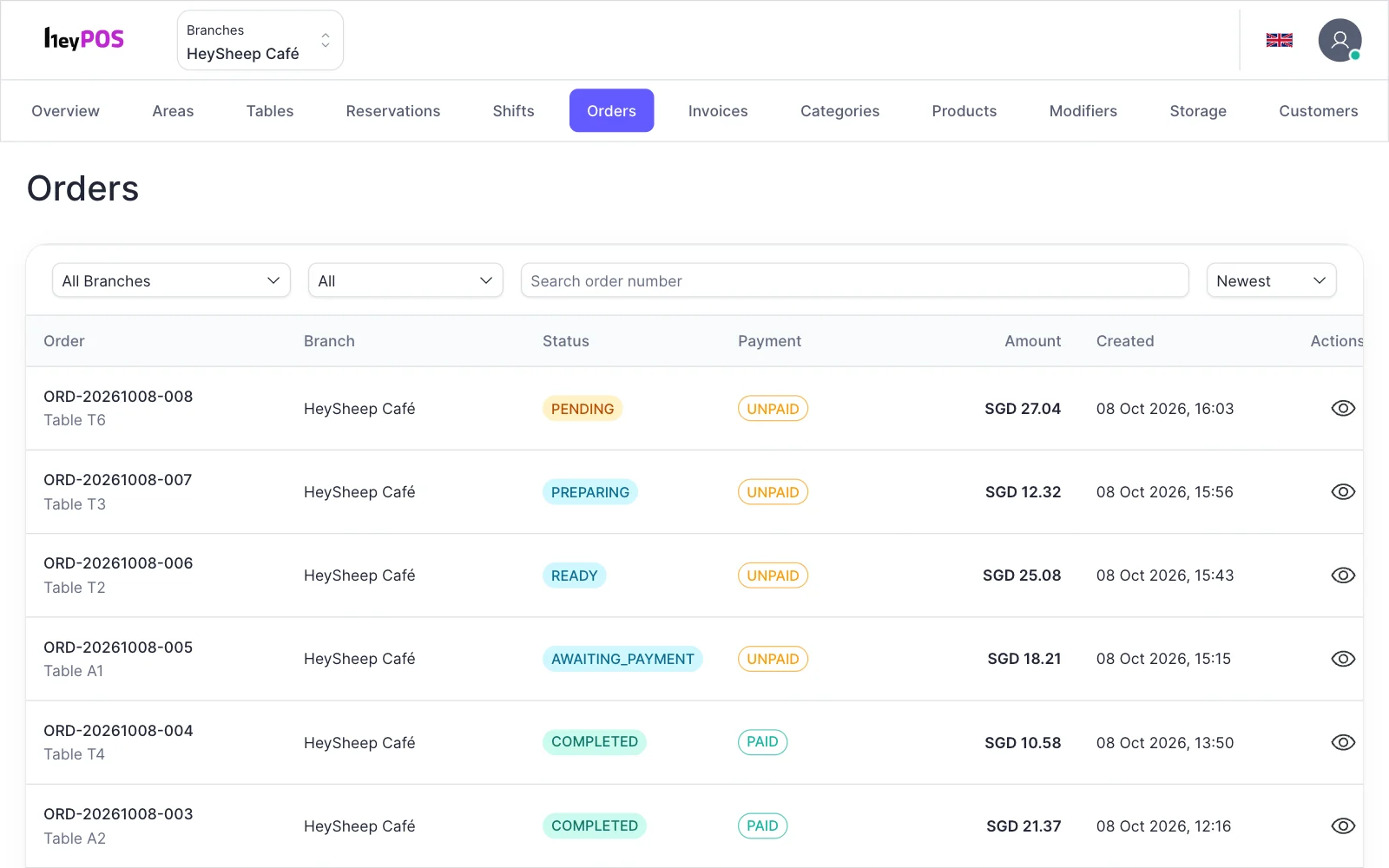
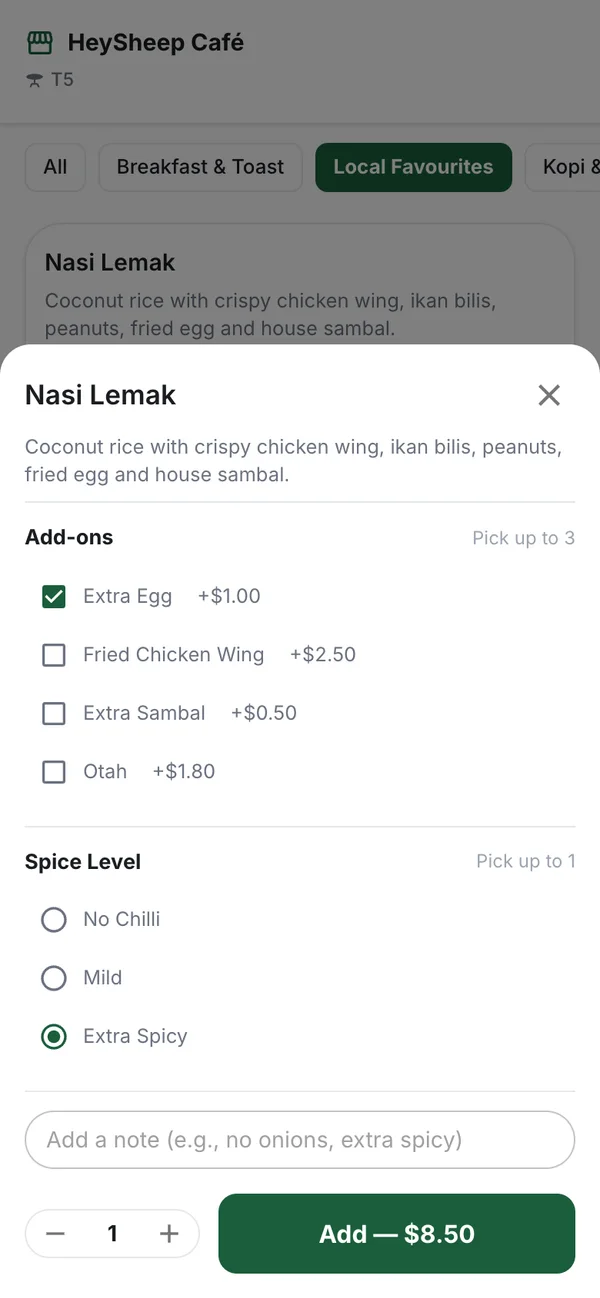
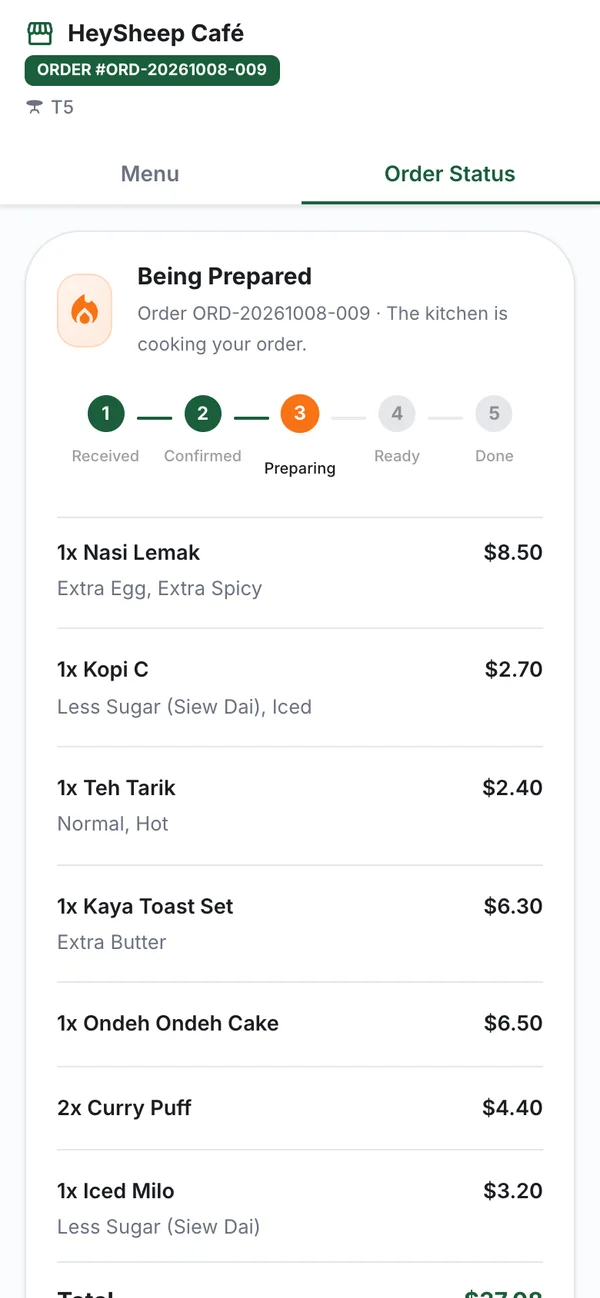
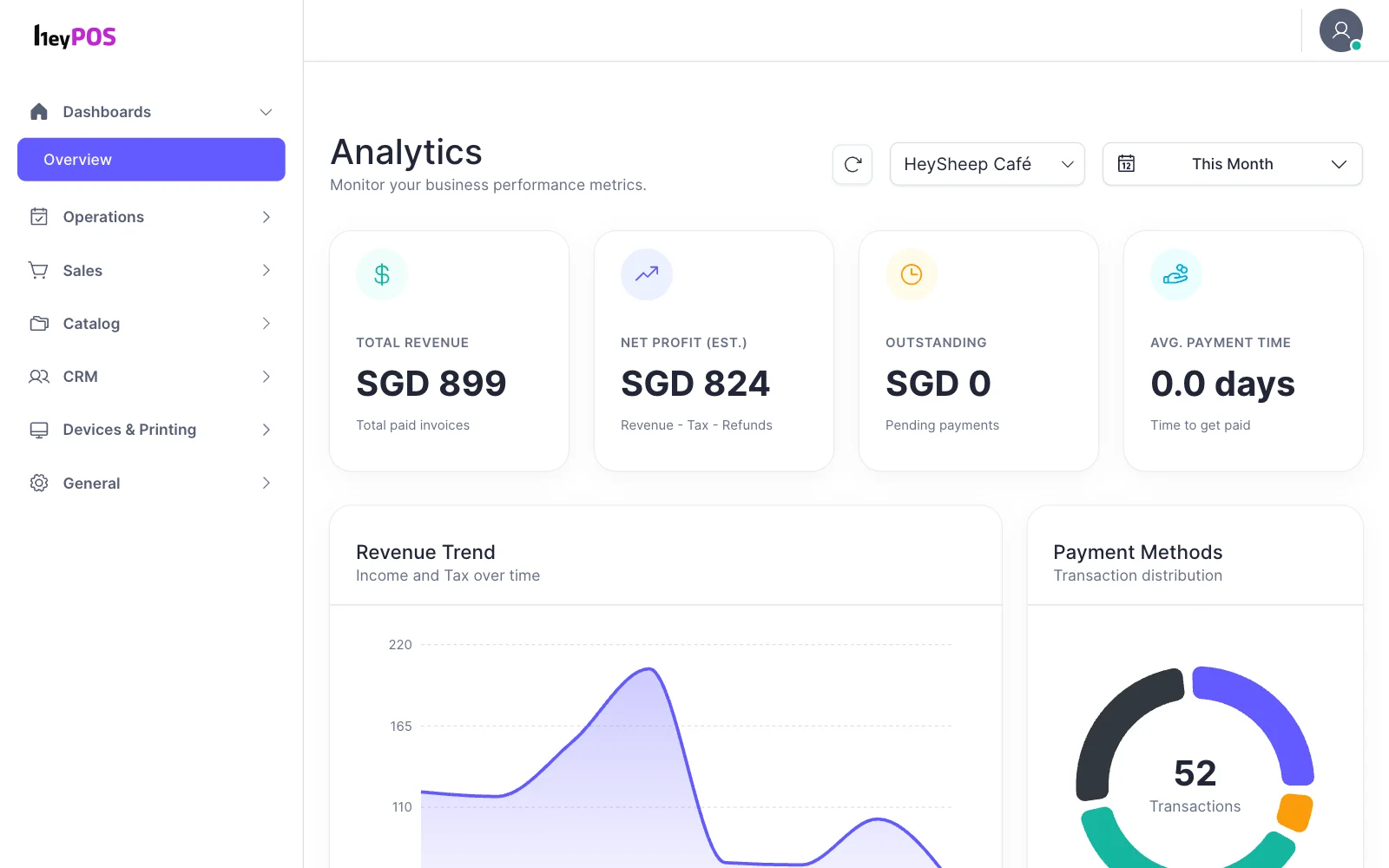
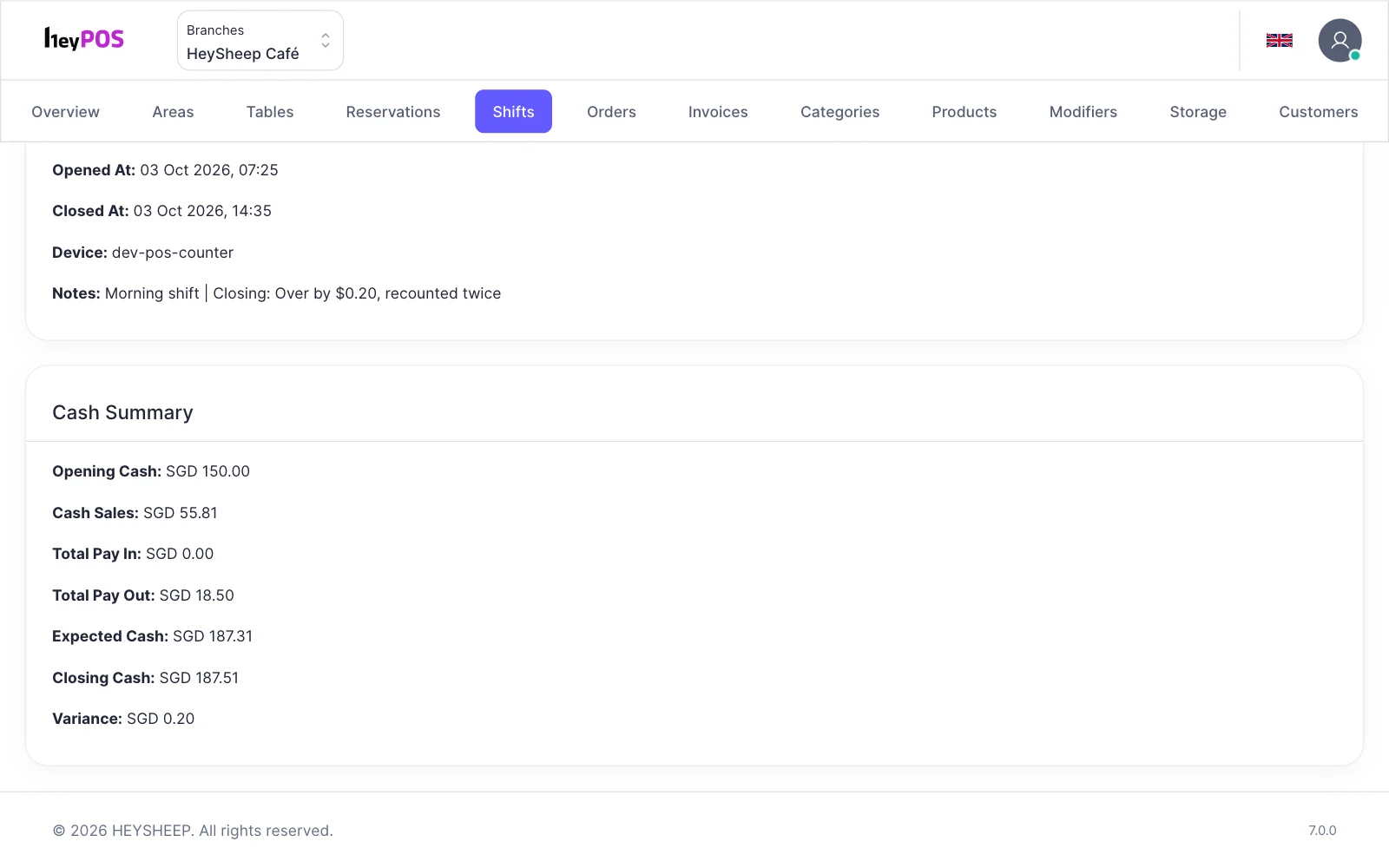
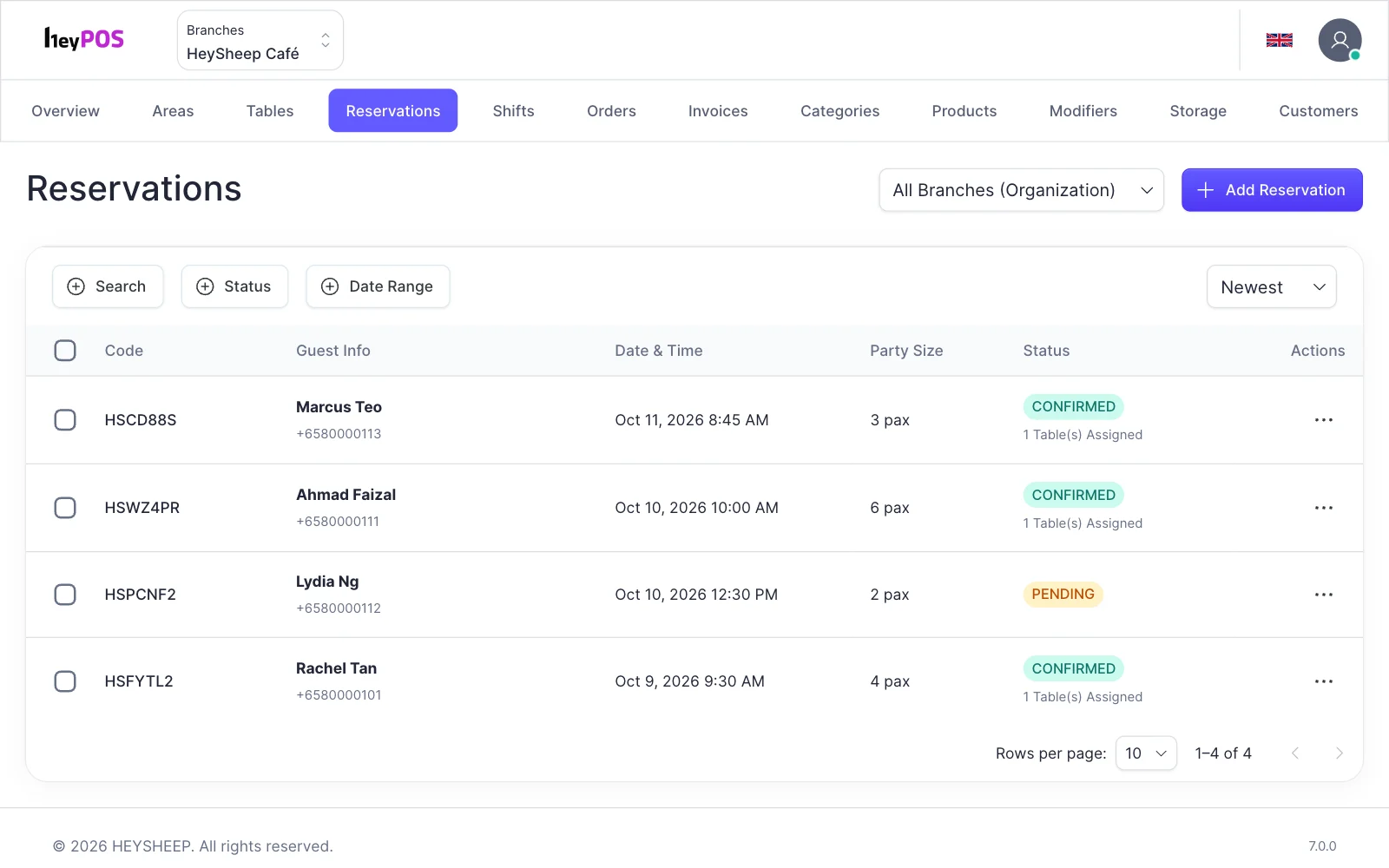
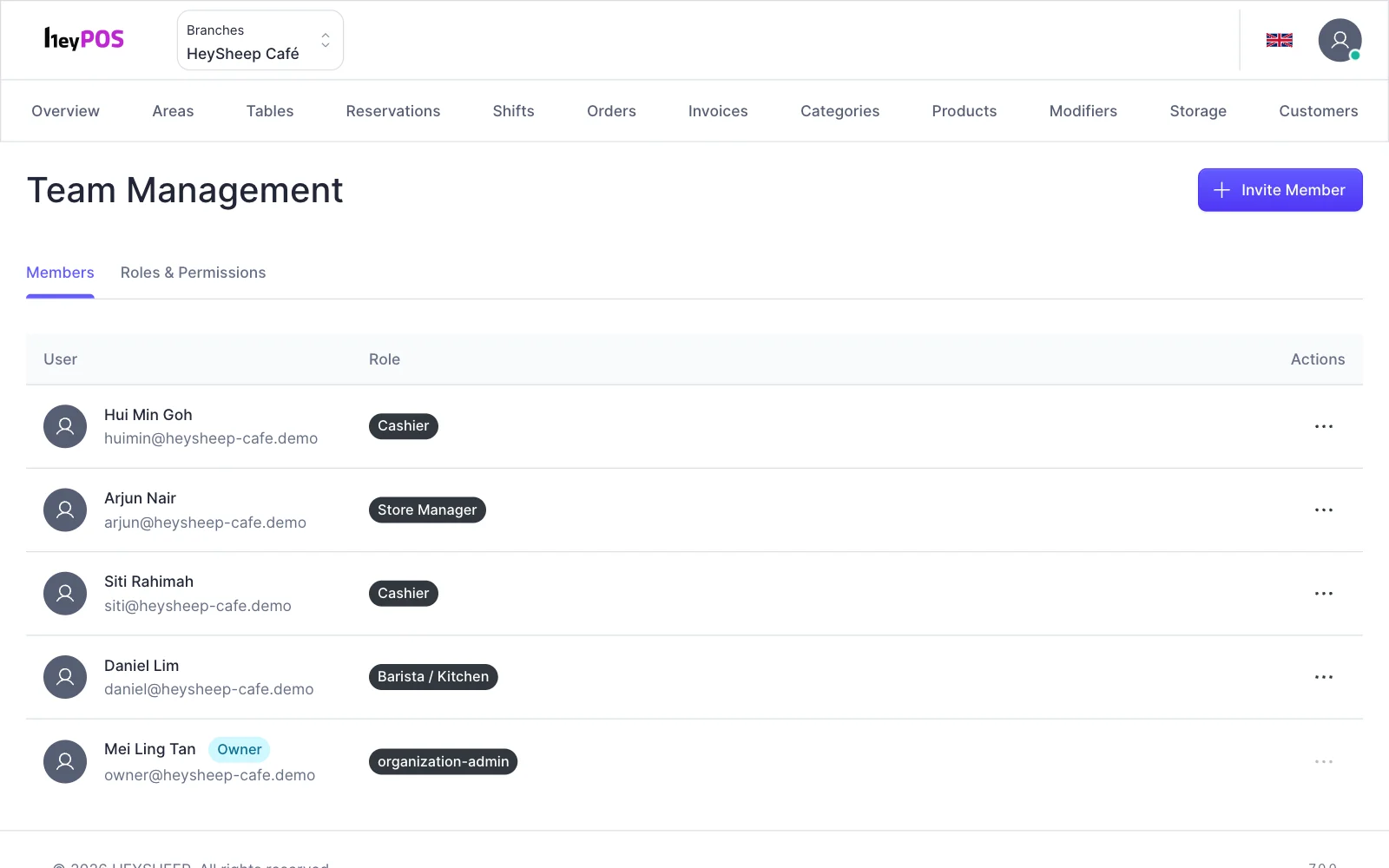
Screens from the HeyPOS back office and QR ordering on demo data (“HeySheep Café”). Prices and names are examples.
How you pay
Own the till. Keep every sale.
No transaction fees, no device rental. You buy the hardware once, then pay a fixed software maintenance fee — so a busy month is good news, not a bigger bill.
| Commission plansa cut of every sale | Rental plansrent the terminal monthly |  by HeySheep by HeySheep | |
|---|---|---|---|
| On every sale | A percentage of each card or QR sale, for as long as you trade | Often tied to their payment processor and its rates | 0% — HeyPOS never takes a cut of your sales |
| The hardware | Supplied, but tied to the plan | A monthly rental that never ends | Yours to keep — a one-time fee for the terminal, cash drawer and printer |
| Getting paid | Through their processor | Usually through their processor | Straight to you — your money never passes through HeyPOS |
| The software | Plan tiers and paid add-ons | Per-terminal licences and modules | One software maintenance fee: updates, back office and support |
| In your best month | You pay more because you sold more | Rent and fees, every month | Your costs stay where we agreed |
Commission and rental plans describe how POS systems are commonly sold; every provider's terms differ, so check yours. Card and wallet providers you choose charge their own fees, which stay between you and them. Prices for HeyPOS are quoted per outlet — ask us.
The HeyPOS promise
Your counter. Your hardware. Every sale is yours.
- 0% transaction fees — no fee or commission anywhere in the system
- Hardware you own — no device rental
- One fixed software maintenance fee
- Your money never passes through us
- Built and supported by our own engineers in Singapore and Da Nang
- Live at a shop in Singapore
Roadmap
Where it's going.
- NowTable-QR ordering, dual-screen counter and kitchen printingLive
- NowShifts, cash drawer, tables and reservationsLive
- NextPayNow QR with the amount, on the counter screenRoadmap
- NextCard and e-wallet payments, through the provider you chooseRoadmap
- LaterInvoiceNow e-invoices for business customers, through HeyInvoiceRoadmap
- LaterAsk Collie about the day's sales and shiftsRoadmap
Part of the ecosystem
HeyPOS works with the rest of your stack.
Guests' phones
LiveTable-QR ordering in the phone's browser — no app to install
Thermal printers
LiveReceipts, kitchen tickets per station and table QR codes, on network printers
Cash drawer
LiveOpens from the printer on every cash sale
PayNow QR
RoadmapA PayNow QR with the amount on the counter screen, paid straight into your bank account
Card & wallet providers
RoadmapCard and e-wallet payments through the provider you choose — their fees stay between you and them
HeyInvoice
RoadmapSales to business customers sent as InvoiceNow e-invoices
Collie
RoadmapAsk Collie about the day's sales, best sellers and shifts
HeyShop
RoadmapOne menu, one price list and one stock count for your counter and your online store
FAQ
Questions, answered.
What is a POS system?
A point-of-sale (POS) system is the till of a modern shop or restaurant: the terminal where orders are rung up and paid, plus the software behind it for menus, prices, shifts, receipts and sales. HeyPOS is HeySheep's POS system, with table-QR ordering built in.
Does HeyPOS charge transaction fees?
No. HeyPOS takes 0% of your sales, whatever the payment method — there is no fee or commission anywhere in the system, and your money never passes through us. If you add a card or wallet provider later, its fees are between you and that provider.
How much does HeyPOS cost?
You pay a one-time fee for the hardware you own — the POS terminal, cash drawer and receipt printer — and a software maintenance fee for updates, the back office and support. There are no transaction fees and no device rental. We quote per outlet; talk to us for yours.
What hardware comes with HeyPOS?
A dual-screen Android POS terminal — one screen for staff, one facing the customer — a thermal receipt printer and a cash drawer that opens from the printer. Kitchen printers can be added per station. After the one-time hardware fee, they're yours.
Can customers order from their table?
Yes. Each table has its own QR code, which you print from the terminal. Guests scan it, browse a photo menu, choose variants, add-ons and notes, and follow their order live from received to done. Everyone at the table adds to the same order, staff confirm it, and guests pay at the counter. No app to download.
Which payments does HeyPOS take?
Cash, with the drawer opening on every cash sale and the change shown on the customer screen, and transfers to your own account, which staff confirm on the terminal. A PayNow QR with the amount on the counter screen, and card and e-wallet payments through the provider you choose, are on our roadmap.
Can HeyPOS handle a busy lunch rush?
Yes. HeyPOS is built for busy service and complex orders: guests order from their tables while staff ring up the counter, every screen updates live, kitchen tickets go straight to the right station, and each order change is saved as one database transaction, so two screens can't overwrite each other.
Can I run more than one outlet?
Yes. One web back office covers several outlets, each with its own menu, tables, tax and service charge, devices and staff roles.
Is HeyPOS only for restaurants?
It is built for food and beverage first — cafés, coffee shops, restaurants and kiosks. Other counter businesses that sell from a fixed menu of items or services can use it too; tell us about yours.
Who supports HeyPOS?
HeySheep's own engineering team in Singapore and Da Nang, Vietnam — the same people who build it.
Can HeyPOS issue InvoiceNow e-invoices?
Not by itself yet. Sending sales to business customers as InvoiceNow e-invoices through HeyInvoice is on our roadmap; today HeyInvoice can issue them separately.
Other products

AI agents for finance, sales, HR and customer service — on a box inside your company. No tokens, no usage bills.
A self-hosted document management system: AI that reads and classifies every document — print, tables and handwriting — plus search, versions, approvals, retention and a full audit trail, on your own server.

Send and receive e-invoices, credit notes and purchase orders over Singapore's InvoiceNow network, and report invoice data to IRAS under the GST InvoiceNow requirement — without replacing your accounting system.

A full e-commerce website shaped around your business — without transaction fees, app bills or a runaway development budget.
Book a HeyPOS demo.
See it on a real terminal: table QR, counter, kitchen tickets and the cash drawer. A HeySheep engineer replies within one business day.